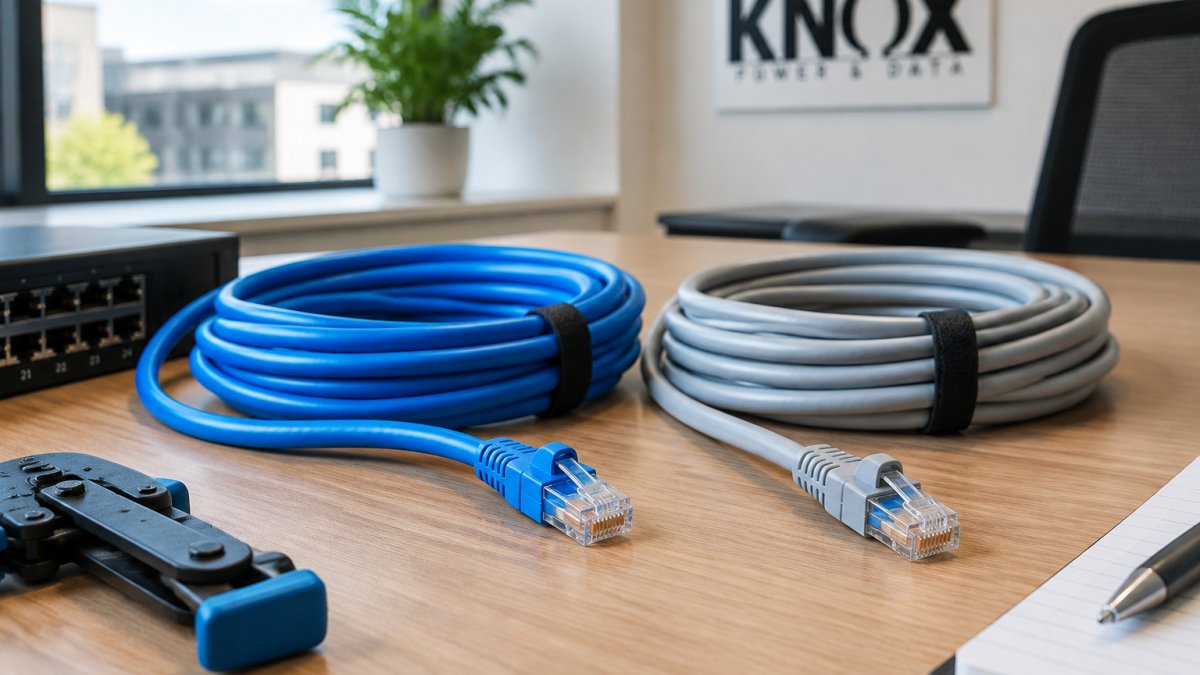
 comparison
6 Differences Between Cat6 and Cat6A for Offices
Last Updated: November 8, 2026
Quick Summary
Cat6 vs Cat6A depends on distance, device demand and how long the cabling must last. Cat6 delivers 10 Gbps up to 55 metres, while Cat6A holds 10 Gbps across the full 100-metre channel, making it the safer choice for offices with long runs or future growth.
- Cat6 is rated to 250 MHz, while Cat6A is rated to 500 MHz.
- Cat6A holds 10 Gbps over the full 100-metre channel, while Cat6 is limited to 55 metres.
- Cat6A is thicker and stiffer, so installation needs wider containment and larger glands.
- Mix Cat6 and Cat6A only with components rated to the same category across the whole channel.
- Certify each link against its rated specification and keep per-link records for future upgrades.
Table of Contents
- Cat6 vs Cat6A at a Glance
- Cat6 vs Cat6A Speed and Distance
- Cable Construction, Weight and Crosstalk
- Cat6A Cable Installation Requirements
- Cat6 vs Cat6A Cost, Including Labour and Pathways
- Office Network Cabling Design by Endpoint and Application
- Booking a Cabling Assessment for Your Office
- Frequently Asked Questions
Choosing between Cat6 and Cat6A for a modern office network is less about which cable is "better" and more about which one will still be doing its job in five years. Cat6 handles most offices well today. Cat6A is the safer bet when you expect heavier traffic, higher-power devices or a longer working life for the cabling. This guide sets out the differences that matter most for offices, so you can make the call on performance and cost rather than habit.
CAT 6 vs. CAT 6A Cables: Understanding the Differences confirms the core performance gap: Cat6 can maintain 10 Gbps for up to 55 metres, while Cat6A holds that speed across the full 100-metre channel. That single figure drives most of the decision.
Cat6 vs Cat6A at a Glance
Cat6 is the established workhorse of office cabling. It supports 10 Gbps over short runs and is widely available at a lower cost per metre. Cat6A is the same family with tighter specifications, larger cable construction and better noise control, designed to deliver 10 Gbps over the full 100-metre limit.
The practical question is therefore not whether your office needs 10 Gbps today. It is whether your cabling needs to carry 10 Gbps over longer runs, through denser bundles, and alongside higher-power equipment for years to come.
Cat6 vs Cat6A Speed and Distance
For most offices, distance is where the two categories part ways. A typical floor plan can easily exceed 55 metres from the comms cupboard to the furthest desk once you include patch leads and routing. At that point Cat6 can no longer guarantee 10 Gbps, and Cat6A becomes the only category in this comparison that stays within specification.
Frequency Ratings: 250 MHz vs 500 MHz
Cat6 is rated to 250 MHz. Cat6A is rated to 500 MHz. The higher frequency rating gives Cat6A more headroom, which reduces the chance of errors on busy links and leaves room for future standards without recabling. Frequency rating is a specification you should check on any product datasheet rather than rely on the category name alone.
Maximum Channel Length for 10 Gbps
A standard permanent link plus patch leads is designed to a 100-metre channel limit. Cat6 reaches 10 Gbps reliably only within its shorter distance window, while Cat6A meets the full 100 metres. If your longest run is anywhere near the limit, Cat6A removes the guesswork.
The two categories differ most clearly on distance and frequency rating, as summarised below.
| Specification | Cat6 | Cat6A |
|---|---|---|
| 10 Gbps distance | Up to 55 metres | Full 100-metre channel |
| Frequency rating | 250 MHz | 500 MHz |
| Cable construction | Lighter, more flexible | Thicker, heavier, stiffer |
| Relative cost per metre | Lower | Higher |
Cable Construction, Weight and Crosstalk
Cat6A is physically larger. It has a thicker outer sheath and tighter internal construction to control interference, which means it is heavier and less flexible than Cat6. The Difference Between Cat6 vs Cat6A Ethernet Cable notes that this extra stiffness demands more care during termination.
Crosstalk is the bigger performance story. Alien crosstalk, interference between neighbouring cables in the same bundle, is a real problem in dense office trays. Cat6A's construction resists it far better, which matters when you run many cables together through a shared pathway.
Cat6A Cable Installation Requirements
Cat6A installation is less forgiving than Cat6. The cable is thicker, stiffer and heavier, so the physical realities of containment, bend radius and termination all tighten up. Plan for wider tray and basket capacity, larger cable glands and more generous bend radius management. Where Cat6 might be pulled through a crowded 25 mm conduit, Cat6A often needs the next size up or a separate pathway.
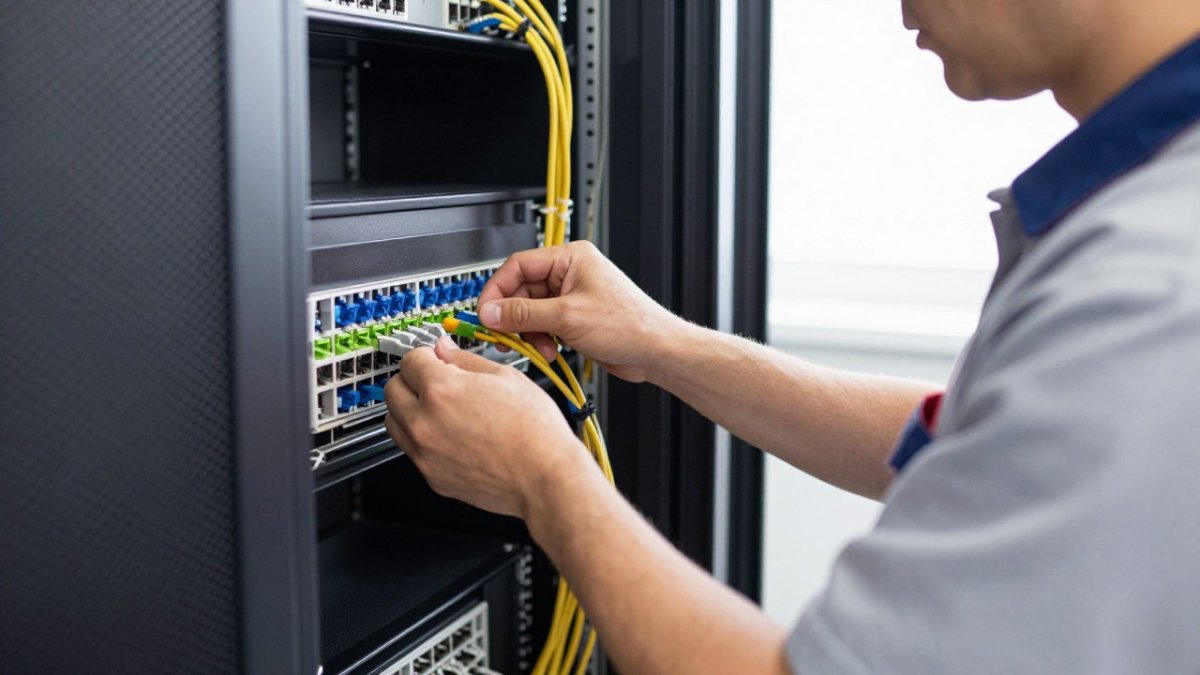
Terminating Cat6A into standard patch panels and outlets requires components rated to the same category. Mixing a Cat6A cable with Cat6 jacks, patch panels or patch cords undermines the whole channel and will fail certification even if the cable itself is genuine Cat6A. The same applies to patch leads: a Cat6A permanent link terminated into Cat6 patch panels and connected with Cat6 cords is a Cat6 channel in practice, not Cat6A.
Bundle management matters more with Cat6A. Alien crosstalk, interference between neighbouring cables in the same bundle, rises as cables are packed tighter and run in parallel over distance. Cat6A bundles should be kept looser, with cables dressed rather than tightly cinched, and large parallel bundles benefit from spacing or separation where the route allows.
Testing is where Cat6A projects are won or lost. Each link should be certified against the 500 MHz specification using a calibrated tester, not merely checked for continuity or basic wire map. Ask for a test report that confirms the channel, permanent link plus patch leads, against the relevant standard, and check that the report covers all four pairs and includes margin figures rather than a simple pass/fail.
Certification also gives you a baseline for future moves, adds and changes. If a link later underperforms, a certified test report from installation helps show whether the fault is in the original work or in a subsequent alteration. For offices planning a mixed Cat6 and Cat6A estate, keep certification records per link so that any future upgrade can target the links that actually need it rather than recabling whole floors.
Finally, consider the pathway before the cable. Cat6A's larger diameter affects tray fill, conduit capacity, floor box depth and cabinet space. A site survey that measures the longest runs and checks existing containment will show whether Cat6A can be installed cleanly or whether pathway upgrades will add cost. That survey is also the point to confirm that switches, patch panels and outlets will be specified as a complete channel rather than assembled from mixed categories.
Cat6 vs Cat6A Cost, Including Labour and Pathways
The cable itself is only part of the cost. Cat6A typically costs more per metre than Cat6, and it needs more capacity in trays, conduit and cable managers. Labour can also rise because larger cables take longer to route and terminate.
Pricing depends on quantity, route complexity, containment and the number of outlets, so a meaningful figure needs a site survey. Knox Power & Data can provide a priced scope against your floor plan and outlet schedule, and you can request one through the Commercial Structured Cabling Quote page.
For a broader view of baseline installation scope, the Cat6 Network Cabling for Offices: Ultimate Guide covers what a typical Cat6 project involves before you compare it with Cat6A.
Office Network Cabling Design by Endpoint and Application
Design should follow the devices you will connect, not the category you prefer. A practical way to decide is to work through each endpoint type and ask three questions: what data rate does it need over its realistic channel length, what power will it draw, and how likely is it to be replaced or upgraded within the life of the cabling?
A simple decision matrix works well for most offices:
- Standard workstations, phones and printers. Cat6 is usually sufficient. These devices rarely need more than 1 Gbps and are typically within Cat6's 10 Gbps distance window anyway. Cat6A adds headroom but is rarely the deciding factor.
- Wireless access points. Cat6A is the safer choice where access points are expected to serve dense user populations or to be upgraded to Wi-Fi 6E or Wi-Fi 7, which can drive multi-gigabit backhaul. Where an access point is close to the comms cupboard and unlikely to be upgraded, Cat6 may be adequate.
- IP cameras. Cat6 generally handles camera traffic well, but Cat6A is worth considering where cameras are daisy-chained, run long distances, or are expected to move to higher-resolution models with higher power draw.
- High-power PoE devices. PoE++ devices rated at 60-100 W benefit from Cat6A's construction and headroom, particularly where multiple high-power devices share a bundle. The cable's ability to dissipate heat and resist alien crosstalk matters more as power rises.
- Backbone and riser links. For longer backbone runs, inter-floor links and campus connections, fibre often outperforms both copper categories. The Commercial Fibre Optic Cabling Installation Guide 2026 explains when fibre becomes the right choice.
Where the same building mixes Cat6 and Cat6A, check that switches, patch panels and outlets are compatible across the channel. A mixed design can work well, but only if each link is specified and tested as a complete system. The practical rule is that a link is only as good as its weakest component: a Cat6A cable terminated into Cat6 jacks and connected with Cat6 patch cords is a Cat6 link, whatever the cable sheath says.
Migration planning is where a mixed-category approach pays off. Rather than recabling an entire floor, prioritise the links that serve access points, high-power PoE devices and long runs, and leave standard desk outlets on Cat6 until they are next disturbed. Keep a link-by-link record of category and certification so that future moves, adds and changes can be targeted. This approach lets you claim most of Cat6A's benefit without the cost of a full replacement, and it keeps the door open for a staged upgrade as device requirements change.
Ask how many devices each outlet will serve, how power demand is likely to grow, and whether your backbone will ever need fibre. Those three questions, applied per endpoint type, will usually settle the Cat6 versus Cat6A question for each link without guesswork.
Booking a Cabling Assessment for Your Office
Choosing a category is easier with a site survey. A survey confirms your longest runs, the containment you already have, and the devices that need power and data. It also gives a like-for-like comparison of Cat6 and Cat6A pricing for your building.
Knox Power & Data offers commercial data cabling across Leeds, with Fluke-certified copper links, fibre and electrical installation under one contractor. You can book a free survey with Knox Power & Data through the Leeds commercial data cabling page.
If you already have a cabling specification, floor plans or an outlet schedule, send them over for a priced scope rather than guessing at quantities.
Frequently Asked Questions
What is the difference between Cat6 and Cat6A?
Cat6 and Cat6A are both copper Ethernet cable categories, but Cat6A is built to carry 10 Gbps over the full 100 metre channel length, while Cat6 reliably does so only up to about 55 metres. Cat6A also has a tighter specification for alien crosstalk, which matters where many cables run together in trunking. Cat6A is thicker, heavier and less flexible, so it takes more care to terminate. For most new offices planned for higher speeds or Power over Ethernet demand, Cat6A is the stronger specification.
Is Cat6A worth the extra cost for an office network?
It depends on the building's lifespan and the devices you plan to connect. Cat6A costs more in cable, and labour can be higher because termination takes longer. Against that, it avoids a costly re-cabling exercise if you later need 10 Gbps to desks or access points, or higher-power PoE for devices rated at 60 to 100 W. Get a written quote from Knox Power & Data, as pricing depends on quantity, route and access.
Can Cat6 support 10 Gbps?
Yes, but only over shorter runs. Cat6 can sustain 10 Gbps for up to about 55 metres, whereas Cat6A sustains it across the full 100 metre channel. Because the standard Ethernet channel length is 100 metres, Cat6 leaves little margin for the patch cords and routing that a real office installation requires. Where most runs are short, Cat6 can work well for 10 Gbps, but Cat6A removes the distance risk.
Can Cat6 and Cat6A be used on the same network?
Yes. Both categories use the same RJ45 connectors and work with standard Ethernet switches, so they can coexist in a mixed-category network. The practical limit is the weakest link: a channel performs to the rating of its lowest-rated component, so a Cat6A run patched with Cat6 jumpers will not deliver Cat6A performance. A mixed installation works best when the design is planned in advance and the patching components are matched to each route.