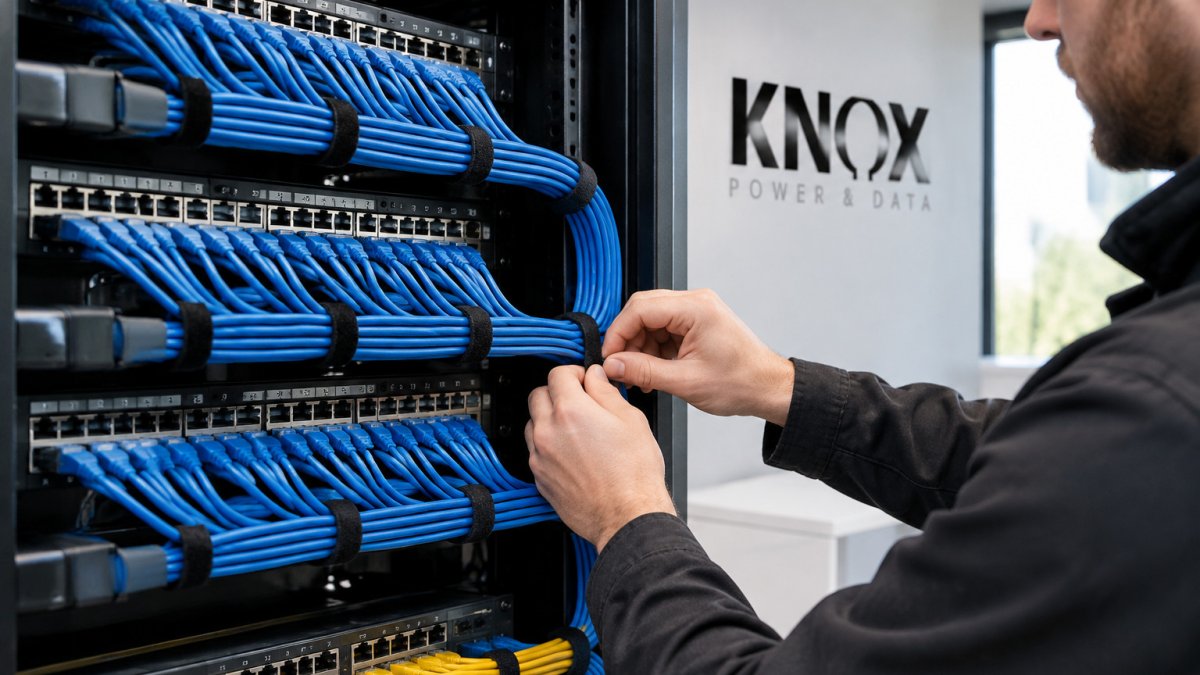
 listicle
7 Benefits of Professional Network Cable Management
Quick Summary
Network cable management is the practice of routing, supporting, labelling and documenting cabling so that network equipment stays cool, faults are quick to trace, and the installation can grow without disruption. Well-managed cabling reduces downtime, lowers running costs and extends the working life of switches and patch panels.
- Keeping cables clear of fan intakes improves cooling and stops racks running warmer than they should.
- Labelling both ends of every cable turns a fault into a quick trace rather than trial and error.
- Keep mains and data cables on separate sides, crossing at right angles where they must meet.
- Use velcro straps rather than cable ties, which can overtighten and crush cable jackets.
- Update your cabling documentation the same day any change is made so records match reality.
Table of Contents
- Why Network Cable Management Matters More Than You Think
- 1. Improved Airflow and Cooling Efficiency in Network Cabinets
- 2. Faster Troubleshooting Through Clear Network Cable Labelling
- 3. Reduced Signal Interference, Crosstalk and Safety Hazards
- 4. Lower Costs, Longer Equipment Life and Easier Scalability
- 5. Network Cable Management Best Practices and a Basic Organisation How-To
- 6. Diagnosing Common Network Cable Faults Once Your Cabling Is Organised
- 7. Booking a Professional Network Cabling Review With Knox Power & Data
- Frequently Asked Questions
Why Network Cable Management Matters More Than You Think
Badly managed network cabling costs businesses more than most owners realise. Tangled runs slow down fault-finding, trap heat around equipment and make routine changes risky. Ofcom's guidance on UK business broadband and network infrastructure is a useful starting point for understanding how the wider network is expected to perform.

The untidy installation is rarely a problem on day one, but it becomes one the first time something fails. Structured cabling, correctly routed and labelled, turns a future fault into a quick fix rather than an afternoon of guesswork.
The benefits below are the ones that show up most often in practice. Each one is worth understanding before you decide how much attention your cabling deserves.
1. Improved Airflow and Cooling Efficiency in Network Cabinets
Network cabinets generate heat, and cable clutter blocks the airflow that removes it. Bundles that sit across fan intakes or fill the rear of a rack force equipment to run warmer than it should. The mechanism is straightforward: switches and power supplies draw air in at the front and exhaust at the rear, and a dense curtain of cabling at the back creates a pressure drop that recirculates hot exhaust air back into the intake. The result is a rack that runs several degrees warmer than its surroundings, fans that ramp up and stay there, and equipment that ages faster than its rated life.
Good management keeps cables routed to the sides or behind the rack, with slack kept short and neat. Blanking panels and horizontal managers help direct air where it belongs. The principle is recognised in the relevant structured cabling standards: BS EN 50173-1 and ISO/IEC 14763-2 both address cabinet layout, bend radii and separation of power and data, and the British Standards Institution's catalogue entry for BS EN 50173-1 sets out the general cabling requirements that cabinet design should follow. The principle holds for small comms rooms as much as large data centres.
A simple before-and-after check with a handheld temperature probe at the intake and exhaust of the top switch can show whether a change has made a measurable difference.
Watch out: a rack that looks tidy from the front can still block airflow from the rear. Check both sides before assuming the cooling problem is solved.
2. Faster Troubleshooting Through Clear Network Cable Labelling
Labelling is where network cable management pays back most quickly. When every cable at both ends carries a clear identifier, a fault can be traced in minutes instead of by trial and error.
Use a consistent scheme that matches your patch panel layout and record it in a simple diagram or spreadsheet. Printed sleeve or wraparound labels that survive repeated handling tend to last longer than handwritten tags.
Labelling is easy to neglect after an installation, so it helps to make it part of the sign-off process.
3. Reduced Signal Interference, Crosstalk and Safety Hazards
Cables that run tightly parallel to power lines, or get crushed under cabinet doors, can cause intermittent network faults. Keeping data cables separated from mains wiring and avoiding sharp bends reduces the risk of crosstalk and damage to the cable pairs.
Loose cables also create physical hazards. Trailing cables across walkways cause trips, and cables left near heat sources or electrical equipment can degrade over time. Installations should follow the relevant standards, and the Health and Safety Executive guidance on workplace slips, trips and falls sets out the duty to keep walkways clear.
4. Lower Costs, Longer Equipment Life and Easier Scalability
Well-managed cabling reduces the wear that comes from strain on connectors and cable jackets. Routing that supports cables properly, rather than letting them hang from ports, extends the working life of patch panels and switch ports. The mechanism is mechanical: a patch lead hanging from a port puts constant load on the RJ45 latch and the port housing, and over months that load loosens the contact and causes intermittent faults that are expensive to trace. Supporting the cable along its length removes that load.
The costs of poor cabling fall into four buckets: downtime while a fault is traced, cooling energy wasted on hot racks, premature replacement of switches and patch panels, and labour spent on moves, adds and changes. A structured, labelled installation can reduce each of these.
Scalability is the other long-term gain. A tidy, labelled installation with spare capacity in trunking and racks makes adding a new desk, camera or access point a routine job. A tangled one often means pulling out everything to make room. The standards angle matters here: BS EN 50173-1 and the associated ISO/IEC 14763 series set out how cabling should be documented and administered, and following them means the installation can be extended without guesswork. The British Standards Institution's catalogue entry for BS EN 50173-1 is a useful reference for the general requirements.
Costs depend on the scale of the work, the cable grade and the state of the existing installation, so asking for a site-specific quote from Knox Power & Data is the most reliable way to compare options.
Watch out: a low headline price that excludes testing, labelling and documentation is not a like-for-like comparison. Ask whether a quote includes these items before comparing it.
5. Network Cable Management Best Practices and a Basic Organisation How-To
Good network cable management comes down to a few repeatable habits. The steps below cover a basic organisation of a small cabinet or comms room.
- Plan the layout first. Sketch where patch panels, switches and the router will sit, and leave space for future growth.
- Route power and data separately. Keep mains cables on one side and data cables on the other, crossing at right angles where they must meet.
- Use the right supports. Fit horizontal and vertical managers and cable trays so cables are supported along their length, not just at the ends.
- Secure with the correct ties. Use velcro straps rather than cable ties, which can be overtightened and crush cable jackets.
- Leave controlled slack. A short loop near each end is enough. Excess length should be neatly coiled and tied, not stuffed into the rack.
- Label both ends. Apply identifiers at the patch panel and at the device, matching your diagram.
- Record the installation. Update your documentation the same day so it reflects reality.
A common mistake is treating the first installation as the finished job. Cabling changes over time, so the records need to change with it.
The steps below set out a basic organisation of a small cabinet or comms room, with the key action for each.
| Step | What to do | Note |
|---|---|---|
| 1. Plan the layout | Sketch where panels, switches and router sit | Leave space for growth |
| 2. Route power and data | Keep mains and data cables on separate sides | Cross at right angles |
| 3. Use supports | Fit horizontal and vertical managers and trays | Support cables along their length |
| 4. Secure cables | Use velcro straps, not cable ties | Ties can crush jackets |
| 5. Leave slack | Keep a short loop near each end | Coil excess neatly |
| 6. Label both ends | Mark patch panel and device to match diagram | Match your diagram |
| 7. Record the work | Update documentation the same day | Keep records current |
6. Diagnosing Common Network Cable Faults Once Your Cabling Is Organised
Once cabling is organised, faults become much easier to isolate. Start with the physical layer: check that each patch lead is fully seated, that the correct port is in use and that the cable has not been crushed or bent beyond its minimum radius.
A cable tester can give a quick first answer on whether a link is faulty, and a certified test report can show whether an installed run meets the required standard. Common causes of intermittent faults include loose terminations, damaged jacks and cables routed too close to interference sources.
If the fault persists after these checks, it is worth bringing in a specialist.
7. Booking a Professional Network Cabling Review With Knox Power & Data
Knox Power & Data is NAPIT registered (Member No. 69848), combines electrical and structured data cabling expertise, and is fully insured for domestic and commercial sites. Our team is BS 7671 18th Edition and Inspection qualified.
If your comms room is hard to manage or you are planning a new installation, a professional review is a practical first step. A professional review can assess the current layout, recommend changes and provide a quote for the work. NAPIT's guidance on choosing a registered electrician explains what registration means for your work.
For a quote on your specific site, get in touch with Knox Power & Data. Local businesses can book a network cabling review in Wakefield directly from our data cabling service page.
Frequently Asked Questions
What are the benefits of professional network cable management?
Professional network cable management improves airflow inside cabinets, which helps equipment run cooler and last longer. It also makes faults quicker to find, because each cable is routed, labelled and tested in a logical way. Neat installations reduce the risk of trips and damaged cables in busy offices, and they make future changes simpler. Knox Power & Data installs and tests structured Cat6 and fibre cabling, so the work is documented and certified. Pricing depends on the size of the network, so request a quote from Knox Power & Data for an accurate figure.
Can poor cable management affect network performance?
Yes. Cables that are tightly bundled, kinked or routed close to power lines can cause signal interference and crosstalk, which may reduce throughput and cause intermittent faults. Poor airflow in a cabinet can also raise temperatures and shorten equipment life. Keeping data cables separate from power cables and respecting bend radius limits helps protect performance. A professional review can identify these problems before they cause downtime.
How does organised cabling make troubleshooting easier?
When every cable is labelled at both ends and recorded on a simple diagram, an engineer can trace a fault without disconnecting unrelated connections. Clear labelling reduces the time spent guessing which port serves which device, and it lowers the risk of accidental disruption during repairs. Patch panels arranged in a consistent order make moves, adds and changes faster. Good documentation is one of the simplest ways to cut downtime.
When should I hire a professional to organise network cables?
Consider hiring a professional if your network cabinet is difficult to access, if cables are unlabelled or tangled, or if you are planning a move, office expansion or new equipment. Landlords and business owners in West Yorkshire may also need certified testing to show that data cabling meets the required standard. Knox Power & Data is NAPIT registered and can combine electrical and structured data work, so you can arrange a site visit and quote through their website.