 how-to
Commercial Fibre Optic Cabling Installation Guide 2026
Table of Contents
- Commercial Fibre Optic Cabling Installation: Essential Planning Steps
- Site Survey and Network Design Requirements
- Single-Mode vs Multi-Mode Fibre Optic Cable: Which to Choose
- The Installation Process: From Conduit to Termination
- Fibre Optic Testing and Certification Standards
- Fibre Optic Cabling Cost Per Point: What Affects Your Quote
- Troubleshooting Common Fibre Failures and Maintenance
- Frequently Asked Questions
Last Updated: September 23, 2026
Commercial Fibre Optic Cabling Installation: Essential Planning Steps
Commercial fibre optic cabling installation is the process of planning, routing, terminating and certifying optical cable so a building or site can carry high-speed data over long distances. It starts long before anyone pulls a cable. This guide from Knox Power & Data covers the full path, from site survey to certification.
Site Survey and Network Design Requirements
The survey is the foundation. A certified engineer walks the site and records everything the design depends on.
Key checks include:
- Distances between comms rooms, floors and buildings
- Routes for conduit, trays and containment
- Riser and ceiling void access for cable pulls
- Environmental risks such as heat, water and movement
- Existing infrastructure you can reuse
Single-Mode vs Multi-Mode Fibre Optic Cable: Which to Choose
Single-mode fibre carries one light path and suits long runs. Multi-mode fibre carries multiple paths and suits shorter links inside a building.
- Single-mode for building-to-building links and runs beyond a few hundred metres
- Multi-mode for backbone cabling within a single site
- Single-mode where you expect major bandwidth growth
- Multi-mode where cost and simpler optics matter more
Neither is "better". They solve different problems.
OS2, OM3, and OM4 Cable Specifications
OS2 is a single-mode standard built for long-distance, high-bandwidth links.
| Cable Type | Mode | Best For | Typical Reach |
|---|---|---|---|
| OS2 | Single-mode | Building-to-building, long runs | Kilometres |
| OM3 | Multi-mode | Short backbone links | Up to around 300m |
| OM4 | Multi-mode | Longer in-building backbone | Beyond OM3 |
The Installation Process: From Conduit to Termination
Installation moves in clear stages, and each one must pass before the next begins.
- Conduit and containment go in first, following the surveyed routes
- Cable pulling uses proper tension limits to protect the glass
- Splicing joins fibres where runs meet
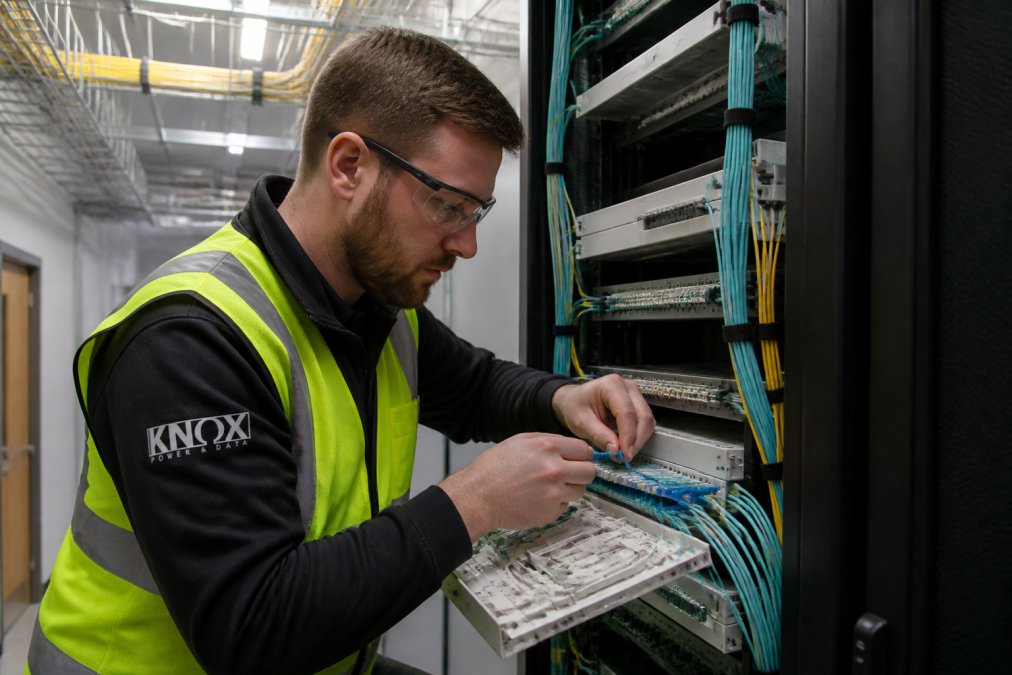
- Fibre termination fits connectors at panels and outlets
- Labelling and cable management keep the install maintainable
Internal vs External Cabling Solutions
Internal cabling runs through risers, ceilings and comms rooms. It uses standard cable and indoor containment.
Fibre Optic Testing and Certification Standards
Fibre optic testing and certification standards prove the install actually works before you sign it off. A link that lights up is not the same as a link that passes. Certification is the documented evidence that every connector, splice and cable run meets the loss budget the design assumed.
Testing typically covers:
- Insertion loss to confirm signal strength end to end
- OTDR testing to map the link and locate faults
- Polarity checks to confirm correct connector orientation
- Certification reports as your written record
Tier 1 and Tier 2 Testing Explained
Most commercial projects need both tiers, and confusing them is a common source of disputes at handover.
Standards and Pass/Fail Criteria
Certification is measured against recognised standards rather than the installer's opinion. The relevant references for commercial work include:
- BS EN 50173 series, the European/international generic cabling design standards adopted as British Standards, covering balanced cabling and optical fibre cabling in premises
- BS EN 50174 series, installation specification and quality assurance for cabling
- ISO/IEC 14763, testing and inspection of installed optical fibre cabling
- BS EN 61300 series, fibre optic interconnecting devices and passive components, the basis for many test methods
Two practical points that catch people out:
- Test at the correct wavelength. Multi-mode links are typically tested at 850 nm and 1300 nm; single-mode at 1310 nm and 1550 nm. A result at the wrong wavelength proves nothing.
- Test the link as installed, including patch leads and adapters. A clean result on the permanent link can still fail once the patch cords are added.
What a Certification Report Should Contain
- Link ID and location matching the labelling on the panel
- Cable type and wavelength tested
- Measured loss and length per link
- The pass/fail result against the design budget
- OTDR traces where Tier 2 testing was specified
- Test equipment calibration date and operator details
For compliance and safety, work should follow BS 7671 wiring regulations guidance where electrical installation is involved, and be carried out by certified engineers.
Fibre Optic Cabling Cost Per Point: What Affects Your Quote
Fibre optic cabling cost per point depends on several factors, so there is no single figure that fits every site. What follows is a budget model you can use to sanity-check a quote, rather than a price list that would be wrong for your building.
The Cost Drivers, Ranked by Impact
In most commercial projects, the drivers below move the number more than anything else. They are listed roughly in order of how much they swing a quote.
- Route difficulty and containment. This is usually the single biggest variable. A cable pulled through an existing tray in a live office is a fraction of the cost of a new containment run through a solid wall, a listed ceiling void or a congested riser. If your quote does not break out containment separately, ask why.
- Cable type and grade. Single-mode and multi-mode cable sit at different price points, and higher-grade multi-mode (OM4 and above) costs more than OM3. Outdoor-rated and armoured cable for external runs adds further cost per metre.
- Termination count and panel work. Every connector is labour. High-density patch panels, mixed connector types and bespoke outlet plates all add time.
- Splicing volume. Splicing is skilled, slow work. Long backbone runs with many splice closures cost more than a simple point-to-point link.
- Testing and certification scope. Tier 1 testing on every link is the baseline. Adding Tier 2 OTDR traces across the whole installation increases labour and reporting time.
- Access and working hours. Out-of-hours work, permit-to-work systems, escort requirements and occupied-building constraints all raise labour cost, sometimes substantially.
- Site scale and mobilisation. A single comms room is efficient. Multiple buildings, floors and risers multiply setup, travel and coordination time.
A Simple Budget Model
Rather than quoting a single per-point figure, build the estimate from four blocks:
- Materials, cable, connectors, panels, outlets, containment and consumables, priced per metre and per unit
- Labour, pulling, terminating, splicing and testing, priced by the day or by the point
- Containment and civils, trays, conduit, fire-stopping and any making good
- Testing, certification and documentation, the reporting and handover package
How to Compare Quotes Properly
Quotes for the same scope can differ by a large margin, and the difference is rarely the cable. When comparing, check that each quote:
- States the cable type, grade and standard being installed
- Separates materials, labour, containment and testing
- Specifies the testing tier and confirms per-link certification reports are included
- Confirms whether containment, fire-stopping and making good are in scope
- States the assumed working hours and any out-of-hours uplift
- Lists exclusions, the cheapest quote is often the one with the longest exclusions list
Where Costs Are Avoided, Not Just Spent
Two decisions made early reduce lifetime cost more than any negotiation on day rate. First, allow spare capacity in containment and panel space during the initial install; adding a single cable later into a full riser can cost more than the original run. Second, choose the cable grade against your realistic bandwidth horizon rather than today's requirement, because re-cabling a live building is far more disruptive, and expensive, than installing the right grade once.
Troubleshooting Common Fibre Failures and Maintenance
Common failures include:
- Contaminated connectors from dust or poor handling
- Tight bends that stress the fibre
- Damaged patch leads from repeated handling
- Dirty or worn ports at patch panels
For compliance and safety, work should follow BS 7671 wiring regulations guidance where electrical installation is involved, and be carried out by certified engineers.
Frequently Asked Questions
How much does it cost to install commercial fibre optic cabling?
Costs depend on cable type, distance, building access, and whether conduit already exists. Single-mode runs over long distances cost more than short multi-mode links. Labour, termination, testing, and certification all contribute. Pricing also varies by site conditions such as ceiling height and fire-stopping requirements. Knox Power & Data provides transparent quotes after a site survey, so you know the full scope before work begins.
Can I install fibre optic cable myself?
Fibre installation requires specialised fusion splicing equipment, OTDR testing tools, and knowledge of installation standards. Incorrect termination causes signal loss and network failures that are hard to trace. For commercial premises, certified engineers ensure the installation meets testing and verification requirements and that you receive proper certification. DIY installation often costs more to rectify than a professional job would have cost initially.
What is the difference between single-mode and multi-mode fibre for offices?
Single-mode fibre (OS2) carries signals over several kilometres and suits building-to-building links or campus networks. Multi-mode fibre (OM3, OM4) handles shorter runs within a building, such as backbone cabling between floors. Single-mode offers higher bandwidth capacity over distance but costs more for transceivers. Multi-mode is often more economical for typical office network infrastructure under 550 metres.
Do I need to use conduit for commercial fibre optic cabling?
Conduit is recommended for most commercial installations because it protects cable from physical damage, reduces signal integrity issues, and simplifies future upgrades. External runs especially benefit from conduit installation to guard against weather and pests. Internal routes through ceiling voids or risers may use cable trays instead, but conduit remains best practice for exposed or underground sections.
Fibre projects fail on planning, not on the cable. Get the survey, design and testing right and the rest follows.
Knox Power & Data brings combined electrical and structured data cabling expertise under one roof. Our NAPIT-registered team (Member No. 69848) installs Cat6 and fibre optic network infrastructure, fully tested and certified to the highest standards, with transparent pricing.
Get a Quote from Knox Power & Data and get your network infrastructure installed properly, first time.