how-to
Why Do My Lights Keep Flickering? Causes & Fixes
Table of Contents
- Why Do My Lights Keep Flickering? Start Here
- Quick Diagnostic: Is It One Light or the Whole House?
- Common Causes of Flickering Lights
- LED Bulb Compatibility Issues and Dimmer Switches
- Signs of Faulty Wiring You Should Never Ignore
- Smart Home Integration and Flickering Lights
- How to Diagnose Flickering Lights: A Step-by-Step Guide
- When to Call an Emergency Electrician
- Frequently Asked Questions
Last Updated: September 12, 2026
Why Do My Lights Keep Flickering? Start Here
When your lights keep flickering, the cause is usually one of a short list of faults: a loose connection, an overloaded circuit, a bulb that isn't compatible with its dimmer, or a failing fixture. Most cases are minor. A few are genuinely dangerous.
This guide from Knox Power & Data walks through each cause in order of likelihood, shows you how to narrow it down yourself, and tells you plainly when to stop and call an electrician. The Electrical Safety First guidance on electrical safety in the home is clear that DIY work should stop at the consumer unit, and we agree.
Below, we'll show you exactly how to tell a harmless bulb quirk from a wiring fault that needs same-day attention.
Quick Diagnostic: Is It One Light or the Whole House?
The single fastest way to narrow down why your lights keep flickering is to note where it happens. One fixture points to a local fault. Every light on the circuit points to wiring or supply.
Ask yourself three questions:
- One fitting only? Suspect the bulb, the lamp holder, or the dimmer feeding it.
- One circuit, several fittings? Suspect a loose connection or an overloaded circuit.
- Whole house, including lights on different circuits? Suspect the supply, the main earthing, or the consumer unit.
Common Causes of Flickering Lights
Most flickering traces back to a handful of faults, and they range from trivial to urgent. Work through them in this order.
Loose Wiring and Electrical Connections
A loose connection is the most common serious cause. Terminal screws work loose over time, particularly in older properties and in fittings that vibrate, such as ceiling roses above a door or under a floorboard.
The tell-tale sign is flickering that changes when the fitting is touched, or that appears in damp weather. Loose connections also run hot. If you notice discoloured plastic or a faint burning smell at a switch or ceiling rose, treat it as an electrical hazard and isolate the circuit at the consumer unit.
Overloaded Circuits and Voltage Fluctuations
An overloaded circuit trips or dims when demand spikes. If your lights flicker when the kettle, tumble dryer, or shower switches on, the circuit is likely drawing near its load capacity.
Voltage fluctuation from the wider network causes a similar effect. Brief dips are normal, but persistent flickering across the whole property is worth reporting to your utility provider, who can check the transformer serving your street.
LED Bulb Compatibility Issues and Dimmer Switches
LED bulb compatibility issues are the most common cause of flickering in homes that have recently switched from halogen or incandescent lamps. The reason is electrical, not cosmetic: an LED draws a fraction of the wattage of the lamp it replaced, and many dimmer switches were designed around the much heavier load of a traditional filament bulb.
Why the mismatch causes flicker
A standard dimmer works by chopping the mains waveform. Older designs use leading-edge phase control, which needs a minimum load, often around 40W to 60W, to switch cleanly (electricalsafetyfirst.org.uk). Swap a 60W halogen for a 6W LED and the dimmer falls below that threshold. It can no longer regulate reliably, so it misfires and the lamp flickers, buzzes, or refuses to dim smoothly.
There is a second mechanism too. Cheap LED lamps contain a driver circuit that converts AC to the low-voltage DC the LEDs need. That driver has its own minimum load and its own tolerance for chopped waveforms. When the dimmer and the driver disagree, you get flicker at low brightness, a faint glow when the switch is off, or a visible strobe.
The symptoms, and what each one points to
- Flicker at low dimming levels but not at full brightness, classic minimum-load problem; the dimmer is below its threshold.
- A faint glow when the switch is off, the dimmer is leaking a small current through the LED driver, which is enough to light modern LEDs dimly.
- Buzzing from the dimmer itself, the dimmer is struggling to regulate a load it wasn't designed for; the noise is the internal component vibrating.
- Strobe or pulsing at certain brightness settings, the driver and dimmer are interacting badly, often because the dimmer is leading-edge and the driver expects trailing-edge.
How to fix it
- Check the bulb is dimmable. Non-dimmable LEDs will flicker on any dimmer circuit. Look for "dimmable" on the packaging, this is not optional.
- Check the dimmer's minimum load. The dimmer's own instructions state a minimum wattage. Add up the total wattage of all LEDs on the circuit. If it's below the minimum, the dimmer needs replacing.
- Match the dimming type. Modern LED-rated dimmers are usually trailing-edge, which suits most LED drivers. If your dimmer is an older leading-edge type, replacing it with a trailing-edge LED-rated unit is often the single fix that solves the problem.
- Consider a bypass module. Where a dimmer has no neutral at the switch, a bypass module fitted across the load can absorb the leakage current and stop the faint glow.
- Match the driver to the fitting. For integrated LED fittings, the driver is part of the unit. If it's incompatible with the dimmer, the driver may need replacing rather than the bulb.
If the flicker persists after a dimmable bulb and a correctly rated dimmer are fitted, the fault is no longer a compatibility issue and should be investigated as a wiring or supply problem.
Signs of Faulty Wiring You Should Never Ignore
Signs of faulty wiring go beyond flickering, and recognising them early prevents the expensive outcomes. The NAPIT guidance for homeowners on electrical safety sets out what registered installers look for during an inspection.
Watch for these red flags:
- A burning smell near sockets, switches, or the consumer unit
- Scorch marks or discoloured faceplates
- Buzzing or crackling from a fitting
- Warm switches or sockets to the touch
- Fuses or breakers that trip repeatedly
- Lights that dim across the whole house when an appliance starts
Any one of these warrants an inspection. Older consumer units without residual current protection are a particular concern, and a qualified electrician can advise on replacement.
Smart Home Integration and Flickering Lights
Smart bulbs and smart switches introduce a cause most guides overlook: the interaction between the smart device and the existing wiring. If your flickering started after you added a smart bulb, smart dimmer, or hub, this section is where to look first.
Why smart devices cause flicker
There are three distinct mechanisms, and they need different fixes.
1. The neutral-wire problem. Many smart switches are designed to draw a small standby current so they stay connected to your network even when the light is off. In a traditional two-wire switch loop, common in older properties, there is no neutral at the switch, so that standby current has to travel through the bulb. On an incandescent lamp this is harmless. On an LED, the tiny current is enough to make the lamp glow faintly or flicker. The fix is a smart switch that either requires a neutral (if one is available) or is specifically rated for no-neutral installations, or a bypass module fitted at the fitting.
2. Driver and dimmer conflicts. Smart dimmers vary in how they regulate output. Some use leading-edge control, some trailing-edge, and some use a hybrid. If the smart dimmer's method doesn't match the LED driver in the fitting, you get a strobe effect at certain brightness levels, or flicker when the dimmer is set low. This is the same compatibility problem described in the LED section, but the smart dimmer adds a second variable: its own firmware behaviour.
3. Network and firmware interference. Smart bulbs and hubs communicate over Wi-Fi, Zigbee, Z-Wave, or Thread. In rare cases, a firmware bug or a weak mesh connection can cause a bulb to reset or re-pair mid-operation, which shows up as a brief flicker or a flash. This is more common on cheaper bulbs and on hubs with outdated firmware. Checking for a firmware update is a sensible first step before assuming a wiring fault.
How to diagnose a smart-device flicker
- Swap back to a standard bulb. If the flicker stops, the smart device is the culprit. If it continues, the fault is in the wiring or supply.
- Check the switch wiring. Does your smart switch require a neutral? Is one present? If not, you need a no-neutral-rated switch or a bypass module.
- Check the dimmer type. Confirm whether the smart dimmer is leading-edge, trailing-edge, or hybrid, and whether the bulb or driver is compatible.
- Update firmware. Check the manufacturer's app for firmware updates for both the bulb and the hub.
- Test one device at a time. If you have multiple smart devices on the same circuit, isolate them one by one to find the one causing the issue.
- Check the mesh. If the flicker correlates with other network activity, the bulb may be losing and regaining its connection. Moving the hub or adding a repeater can help.
If the flicker persists after swapping back to a standard bulb, the smart device is not the cause and you should work through the diagnostic steps in the next section.
How to Diagnose Flickering Lights: A Step-by-Step Guide
You can safely narrow down most flickering yourself in about fifteen minutes. Follow these steps in order, and stop at the consumer unit.

- Note the pattern. Write down which lights flicker, when, and what else is running at the time.
- Swap the bulb. Replace it with a known-good bulb of the same fitting type. If the flicker stops, you're done.
- Check the dimmer rating. Confirm the dimmer is rated for the LED load and that the bulb is marked dimmable.
- Isolate the circuit. Switch off the relevant breaker at the consumer unit before inspecting any fitting.
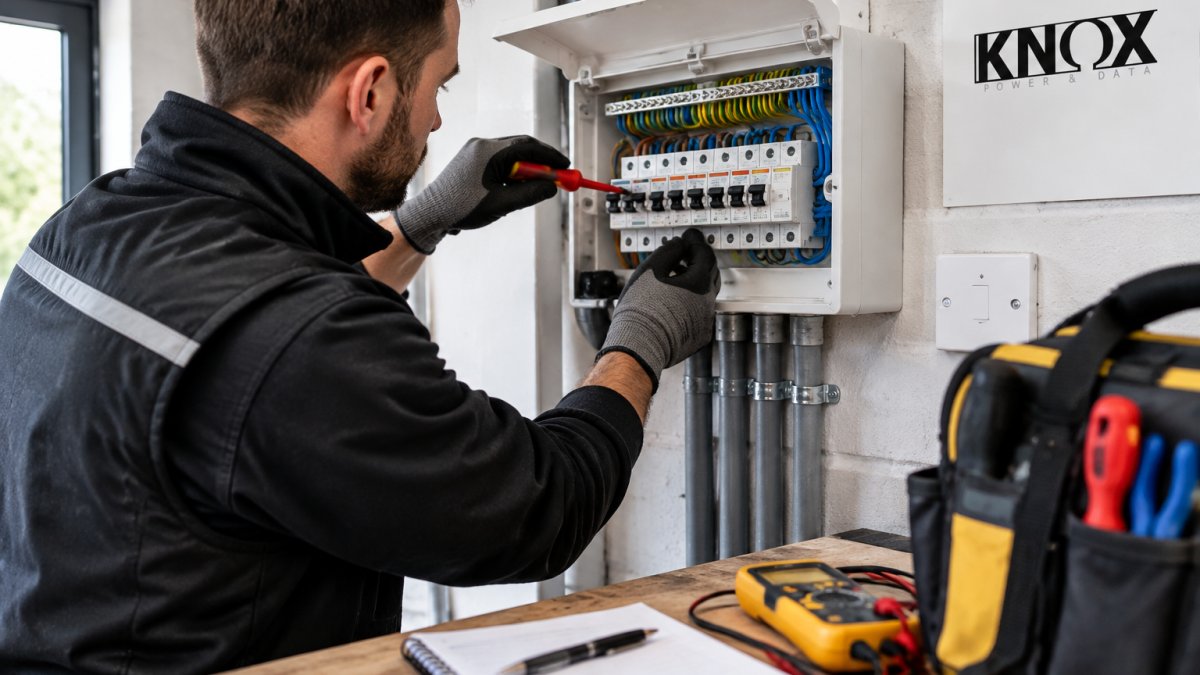
- Inspect accessible connections. With the circuit dead, check terminal screws at the ceiling rose and switch for tightness.
- Test under load. Switch the circuit back on and turn on a high-draw appliance nearby. Note whether the flicker worsens.
- Record and decide. If the flicker persists after steps 1-6, the fault is beyond safe DIY scope.
Expected result: By step 7 you should know whether the cause is a bulb, a dimmer, or the wiring itself.
| What You Found | Likely Cause | Next Step |
|---|---|---|
| One bulb flickers, others fine | Bulb or lamp holder | Replace bulb, then fitting |
| Flicker only when dimmed | Dimmer or LED driver mismatch | Fit LED-rated dimmer |
| Several lights on one circuit | Loose connection | Isolate and inspect terminals |
| Whole house, appliance-linked | Overload or supply dip | Check load, contact utility |
| Flicker after smart device fitted | Neutral wire or driver conflict | Fit neutral-rated smart switch |
When to Call an Emergency Electrician
Call an emergency electrician immediately if flickering comes with a burning smell, visible scorch marks, buzzing from the consumer unit, or repeated tripping. These point to a fault that can start a fire.
For everything else, a standard appointment is usually fine. At Knox Power & Data, our NAPIT-registered team (Member No. 69848) covers West Yorkshire with same-day availability for emergencies, and every job is tested and certified to BS 7671 18th Edition standards. We handle everything from a single faulty circuit to a full consumer unit replacement.
Frequently Asked Questions
Should I be concerned if my lights flicker?
Occasional flickering when a large appliance like a washing machine starts is usually harmless. However, if your lights keep flickering constantly, dim noticeably, or flicker across multiple rooms at once, it can indicate a loose connection, overloaded circuit, or faulty wiring. These are electrical hazards that need a qualified electrician to inspect and repair promptly.
Can loose wiring cause lights to flicker?
Yes. A loose connection at a terminal screw, light switch, or within the consumer unit creates intermittent contact. As current passes through, the poor connection causes the light to flicker or dim unpredictably. Loose wiring can also generate heat, which is a fire risk. If you suspect loose wiring, do not attempt to tighten connections yourself; call a registered electrician.
How do I figure out why my lights are flickering?
Start by noting which lights flicker: one fixture points to a bulb or socket issue, while multiple rooms suggest a circuit or supply problem. Swap the bulb with a known working one, check if a dimmer switch is compatible with your LED bulbs, and observe whether flickering happens when specific appliances run. If the problem persists, book a diagnostic visit from a qualified electrician.
When should I call an emergency electrician for flickering lights?
Call an emergency electrician if flickering comes with a burning smell, buzzing sounds, visible scorch marks, or if lights pulse across the whole property. These signs of faulty wiring suggest an immediate electrical hazard. A NAPIT-registered electrician can test your wiring integrity, check the consumer unit, and isolate the fault safely.
Flickering lights are one of those problems that either takes five minutes or signals something you shouldn't ignore. If you've worked through the diagnostic steps and the cause still isn't obvious, don't guess with mains wiring.
Knox Power & Data offers same-day emergency callouts, fully tested and certified installations, and transparent pricing with no surprises. Get a quote from Knox Power & Data and get your lighting sorted properly.