 ultimate-guide
Residential CCTV Installation Cost Breakdown: 2026 Guide
Table of Contents
- What a Residential CCTV Installation Cost Breakdown Actually Includes
- Cost Breakdown by Number of Cameras
- Wired vs Wireless CCTV Installation Cost
- Professional CCTV Installation vs DIY
- Can You Install CCTV Cameras on a Listed Building?
- The Costs Most Quotes Leave Out: Support, Subscriptions and Upgrades
- Why CCTV Installation Costs Vary Across the Region
- Frequently Asked Questions
Last Updated: September 14, 2026
What a Residential CCTV Installation Cost Breakdown Actually Includes
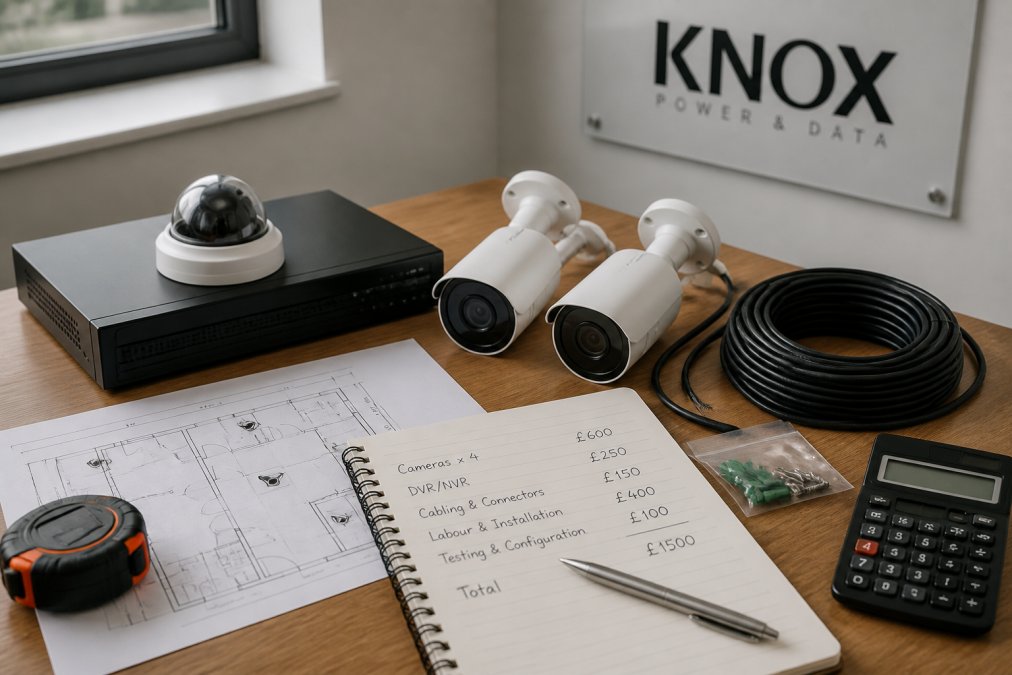
A residential CCTV installation cost breakdown itemises every component, labour hour, and ongoing charge that makes up the total price of fitting cameras at a home. It separates the kit you buy from the work required to install it, so you can see where the money goes. Two quotes for the same job can differ by hundreds of pounds because one includes cabling and certification while the other quietly leaves them out.
Most homeowners only see the final number, which hides three cost centres: equipment, labour, and the extras that surface afterwards.
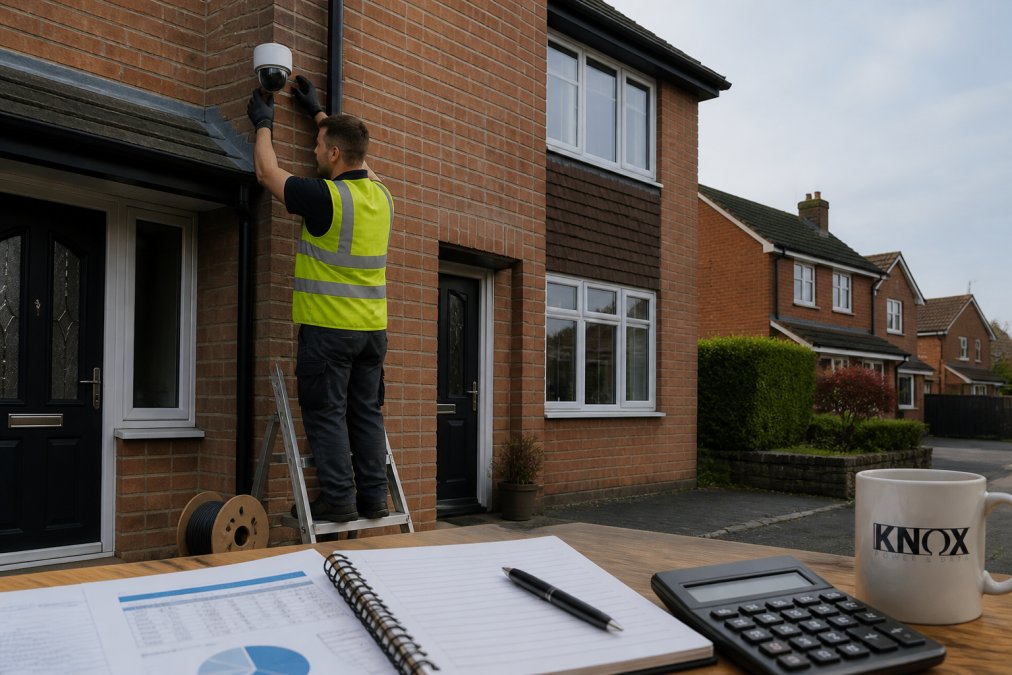
Equipment: Cameras, DVR or NVR, and Hard Drive Storage
Cameras dominate the equipment line. A basic 1080p unit costs less than a 4K IP camera with colour night vision, and the gap widens with motion detection zones and a wider field of view.
The recorder matters just as much. A DVR (Digital Video Recorder) works with analog cameras; an NVR (Network Video Recorder) handles IP cameras and usually costs more. Both need a surveillance-grade hard drive, and storage scales with camera count, resolution, and retention days.
Labour, Cabling and Mounting Hardware
Labour is where quotes diverge most. A four-camera job on a modern semi takes a fraction of the time needed for a period property with solid stone walls and no existing cable routes.
Cabling and conduit, mounting hardware, and weatherproofing sit here, as does compliance work: routing cables safely and testing the finished installation. A qualified tradesperson also factors in access equipment and making good after drilling.
Cost Breakdown by Number of Cameras
More cameras raise cost three ways: more equipment, more cable runs, and more labour hours. A two-camera system covers a front door and driveway; an eight-camera system wraps the whole property. The jump from four to eight is rarely double, because the recorder, hard drive, and first fix are shared.
2-Camera, 4-Camera and 8-Camera Systems Compared
| System Size | Typical Coverage | Main Cost Drivers | Best For |
|---|---|---|---|
| 2 cameras | Front door, driveway | 2 cameras, small recorder, short cable runs | Flats and small terraces |
| 4 cameras | Front, rear, side access | 4 cameras, mid-size NVR, longer runs | Most family homes |
| 8 cameras | Full perimeter | 8 cameras, large NVR, big hard drive, more labour | Large or detached homes |
How the Marginal Cost of Each Extra Camera Behaves
The first camera is the most expensive you will ever buy, because it carries the fixed costs: the recorder, the first hard drive, the first cable run to the head end, and the labour to establish a route. Every camera after that adds only its unit price, cable, bracket, and the labour to pull and terminate that run.
Think about it in bands rather than exact figures:
- Camera one (fixed cost band): recorder, hard drive, power supply, first cable route, commissioning. Quotes swing most here, depending on whether a spare way exists in the consumer unit and whether a cable route already exists.
- Cameras two to four (marginal cost band): each additional camera adds a unit, a bracket, a cable run, and a proportionate slice of labour. This is the cheapest band per camera.
- Cameras five to eight (escalating band): runs get longer, access gets harder (loft, eaves, outbuildings), and the recorder and hard drive may need to step up a size. Labour per camera rises again.
Recorder and Storage Sizing by Camera Count
The recorder and hard drive are shared costs, but they scale with camera count, resolution, and retention days:
- 2 cameras: a small 4-channel recorder and a 1 TB surveillance-grade drive is ample for a week or two of continuous 1080p recording.
- 4 cameras: a 4- or 8-channel recorder with a 2 TB drive covers most family homes at 1080p, or a shorter retention window at 4K.
- 8 cameras: an 8- or 16-channel recorder with a 4 TB drive or larger, because eight higher-resolution streams fill storage far faster than four.
Doubling resolution roughly doubles storage demand for the same retention period, and adding cameras multiplies it again. That is why an eight-camera 4K system can need four times the drive of a four-camera 1080p system.
Why the Four-to-Eight Jump Is Not Double
Moving from four to eight cameras, the recorder, hard drive, and first fix are already paid for. You add four cameras, four cable runs, and the labour to install them, plus usually a step up in recorder channels and drive capacity. The eight-camera system costs noticeably more, but well under twice as much, because the shared infrastructure is amortised across more cameras.
Exact figures depend on camera resolution, recorder type, and cable routes. We provide transparent per-project pricing, so you get a breakdown rather than a guess.
Wired vs Wireless CCTV Installation Cost
Wired systems usually cost more upfront but less over time. Running cable through walls and lofts takes labour, yet a wired setup avoids the recurring cloud storage fees many wireless cameras depend on.
Wireless security cameras cut installation time because there is less cabling, lowering labour. The trade-off is reliability and power: most still need a power source or regular battery changes, and signal can drop through thick walls. For a wired vs wireless CCTV installation cost comparison, weigh the upfront saving against years of subscription and battery costs.
- Wired: higher labour, lower ongoing cost, more reliable signal
- Wireless: lower labour, possible subscription fees, easier to reposition
Professional CCTV Installation vs DIY
Professional installation buys compliant cabling, correct camera positioning, and a tested system. DIY saves on labour but shifts the risk onto you: poor angles, exposed cable, and no certification if something fails.
Where DIY Saves Money and Where It Costs More
DIY genuinely saves money on simple, single-camera setups using an existing power point and a brick mount. It costs more when you hit hidden problems: no cable route, a consumer unit with no spare way, or a listed building where fixings must be reversible.
A common mistake is underestimating cable routing. What looks like a two-hour job becomes a full day once you are fishing cable through a cavity wall, the point where many homeowners call a professional anyway, having already spent on kit.
Can You Install CCTV Cameras on a Listed Building?
You can install CCTV cameras on a listed building, but you almost always need listed building consent before any external fixings, because the work alters the character of a protected property. Planning permission may also apply depending on placement.
The rules are strict about how cameras are fixed. Drilling into historic fabric, running surface conduit, or mounting units that are visible from the street can all require approval. For guidance on what needs consent, check the official planning guidance on listed building consent.
Data protection adds a second layer. If cameras capture beyond your boundary, even a public footpath, you are processing personal data and must comply with the UK GDPR (Home CCTV systems). The Information Commissioner's Office guidance on domestic CCTV sets out what homeowners need to do, including signage and limiting coverage to your own property.
The Costs Most Quotes Leave Out: Support, Subscriptions and Upgrades
The quote covers installation, rarely what happens next. Post-installation support, cloud storage subscriptions, maintenance, and repairs are the costs that surprise homeowners a year down the line.
Cloud Storage, Maintenance and Repair Pricing
Cloud storage is the biggest recurring charge. Many wireless systems offer a free tier with limited history, then charge monthly for longer retention. A local hard drive avoids this, which is one reason wired systems with an NVR often cost less to run.
Maintenance is modest but real: cleaning lenses, checking recordings, replacing a failed drive or camera. Repair pricing depends on whether the fault is the unit or the cabling. Upgrades cost less if the original cabling and recorder can handle the extra load, so plan for scalability at the start.
Why CCTV Installation Costs Vary Across the Region
Two identical houses can attract different quotes based on location and installer access. Property age, wall construction, and camera distance from the recorder all change labour time. But the biggest drivers of regional variance are less obvious, and they sit alongside three ongoing costs, subscriptions, repairs, and smart-home integration, that almost no quote mentions upfront.
What Actually Drives Regional Labour Variance
Labour is the line that moves most between areas, for four reasons:
- Local wage benchmarks. Installer day rates track the local cost of living and the going rate for electricians and security engineers. A day's work is priced differently in a high-cost urban market than in a rural one, even when identical.
- Travel and mobilisation. Firms travelling long distances build travel time into the quote. A local installer on site in fifteen minutes prices more keenly than one driving an hour each way, because the travel is real cost.
- Access and property stock. Dense urban terraces mean tight side returns, shared walls, and awkward cable routes. Rural and period properties mean solid stone walls, no loft access, and longer runs to outbuildings. Both raise labour, for different reasons.
- Competition density. Areas with more registered installers see tighter pricing, because homeowners can compare several quotes. Areas with few installers see wider spreads.
Access: The Hidden Variable in Every Quote
Access is where two quotes for the "same" job diverge most. A job reachable from a step ladder costs less than one needing a tower or scaffolding. A property with a clear loft route and a spare way in the consumer unit costs less than one where cable must be surface-run in conduit and the consumer unit needs attention.
Equipment cost is broadly similar everywhere, cameras, recorders, and drives are bought from the same distributors at similar trade prices. The variation in quotes comes from labour, access, and how much of the work is genuinely included. That is why comparing headline prices without comparing scope is the fastest way to be surprised later.
The Ongoing Costs Most Quotes Leave Out
Three recurring costs sit outside the installation quote and are routinely omitted:
Cloud storage subscriptions. Many wireless brands offer a free tier with limited history, then charge monthly or annually for longer retention or features like person detection. A local hard drive in a wired NVR avoids this, which is one reason wired systems often cost less to run over five years even when they cost more upfront. Add up the subscription over the system's expected life before deciding.
Repair and upgrade pricing. Guides focus on new installs, but the later costs are replacing a failed camera, swapping a failed hard drive, or upgrading an ageing recorder. A camera replacement is usually a unit cost plus short labour if the cabling is sound. A recorder upgrade costs less if existing cabling and camera types are compatible, which is why planning for scalability matters. Proprietary connectors or a closed ecosystem can mean replacing more than the recorder.
Smart-home integration. If you want cameras on a smart display, triggering routines, or viewed alongside doorbell and alarm events, that integration has a cost. Some systems integrate easily; others need a hub, bridge, or subscription tier to unlock the API. It is usually modest, a hub, configuration time, possibly a higher tier, but rarely quoted at the point of sale, and the most common post-installation surprise for homeowners who assumed everything would "just work" together.
Planning for Variance Before You Get Quotes
Ask every installer to quote the same scope: same camera count, resolution, retention days, and access assumptions, with an explicit line for whether cloud storage or a local drive is included. Ask separately what a single camera replacement costs, what a recorder upgrade costs, and whether the system integrates with your smart-home platform. Those three questions surface the costs that regional variance and headline pricing both hide.
Frequently Asked Questions
How much does it cost to install CCTV at home?
There is no single figure because a residential CCTV installation cost depends on camera count, resolution, whether the system is wired or wireless, and how much cabling and conduit the property needs. A two-camera wireless setup on a small semi sits at the lower end, while an eight-camera wired IP system with an NVR and long cable runs sits at the upper end. Labour, mounting hardware and VAT all add to the total, so ask for a written quote rather than relying on a ballpark.
Is there a difference in cost between wired and wireless CCTV installation?
Yes, and it usually works the opposite way to what people expect. Wireless cameras cost more per unit because each one needs its own power supply and often a subscription for cloud storage. Wired systems need cabling and conduit, which adds labour, but the cameras and DVR or NVR are cheaper and there are no ongoing fees. Over several years, a wired CCTV system often works out cheaper to run.
Do I need to budget for ongoing maintenance after CCTV installation?
Yes. Hard drive storage fills up, lenses need cleaning, and firmware needs updating. Budget for an annual check and a hard drive replacement roughly every three to five years. Cloud storage plans add a monthly or yearly fee on top. If you want remote viewing through an app, check whether that service is free or paid before you commit to a system.
Are there legal requirements that affect CCTV installation costs?
Yes. Domestic CCTV that captures images beyond your property boundary falls under data protection rules, so you may need signage and a documented reason for recording. Listed buildings need consent before any camera is fixed to the fabric of the building, which adds to the cost and timescale. A qualified installer will factor compliance into the quote rather than leaving you to sort it after fitting.